
How-to Example - Executing Query Definitions with Effectivity Resolution
This section outlines executing a Query Definition and applying Effectivity Resolution. This involves:
-
Retrieving the Query Definition AML
-
Specifying values for the query parameters of the Query Definition
-
Executing the Query Definition with Effectivity Resolution
Retrieve Query Definition AML
You can retrieve the Query Definition AML using the following AML query:
<Item type="qry_QueryDefinition" id="%ID%" action="get" levels="2" />
Note: %ID% should be replaced with the ID of the Query Definition that will be executed with Effectivity Resolution.
Specifying Query Parameter Values for the Query Definition
To execute a Query Definition with Effectivity Resolution, values for the appropriate query parameters must be specified. This can be done using the Query Definition’s AML as the starting point.
-
Open the Query Definition AML retrieved in Section Retrieve Query Definition AML.
-
Find the “EffectivityScopeId” qry_QueryParameter item. Add the following XML node: <value>%value%</value> with the Effectivity Scope Item ID as the value of the node. In the following example, the ID of the “Aras Part BOM Scope” Effectivity Scope is used.
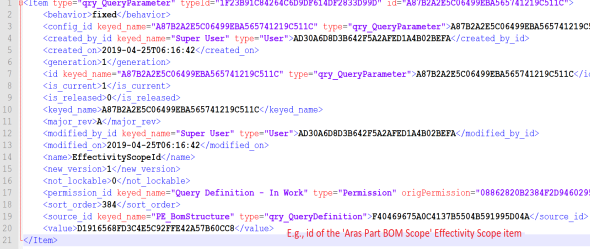
Figure 61.
-
Prepare the Effectivity Criteria defined in free-form Boolean language in the following format:
<EQ>...</EQ><EQ>...</EQ>...<EQ>...</EQ>
For example:
<EQ><variable id="ID_OF_MODEL_VARIABLE"/><named-constant id="ID_OF_MODEL_ITEM" /></EQ><EQ><variable id="ID_OF_UNIT_VARIABLE"/><constant type="int">11</constant></EQ>
Note: To understand the Scope structure required and to retrieve the correct IDs for each criterion, it is best to run a request to the cfg_GetScopeStructure method. Refer to the section Implementing the Scope Builder Method of the Aras Innovator 29 - Configurator Services Programmers Guide for further details.
-
Escape the XML generated in the previous step to make it XML-safe. This can be done using a text editor or an online XML escape tool. Save the resulting escaped string.
-
Find the “EffectivityCriteriaDefinition” qry_QueryParameter item. Add the following XML node: <value>%value%</value> with the escaped string defining the prepared Effectivity Criteria as the value of the node, similar to the following example:
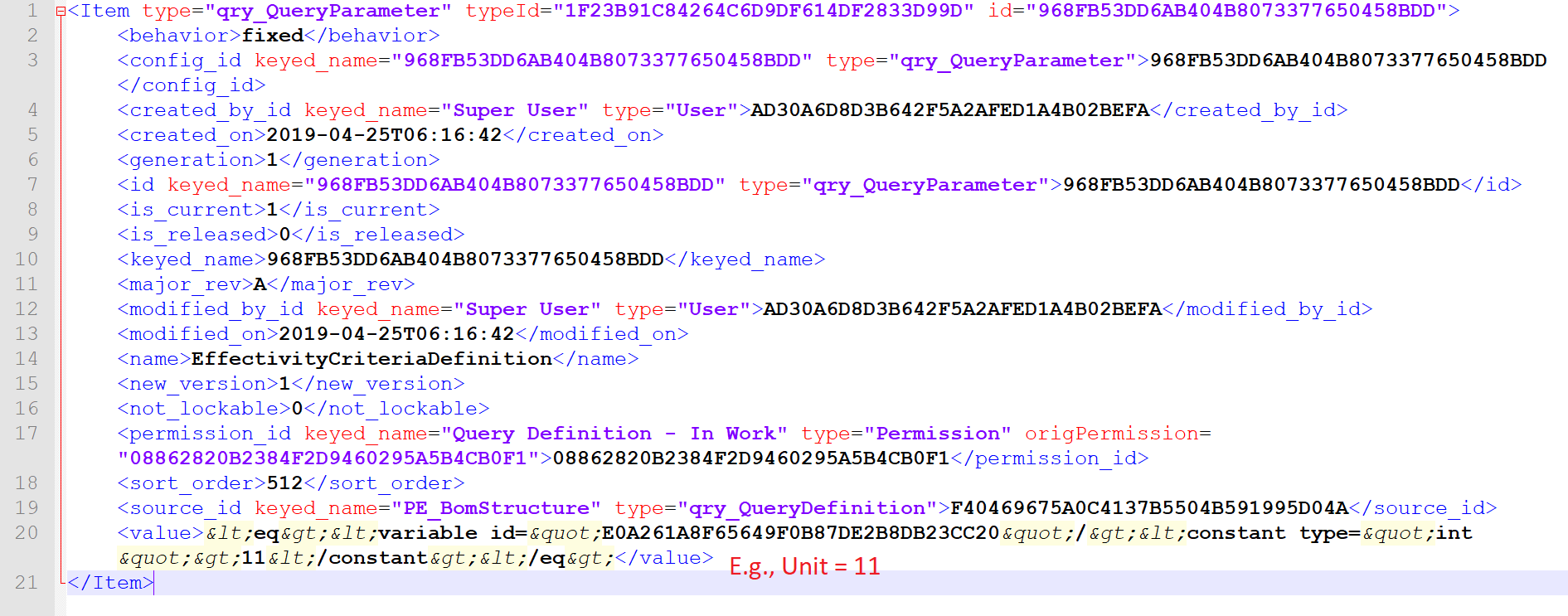
Figure 62.
-
Find the qry_QueryReference item with no parent_ref_id node inside it. This item represents the entry point, or top node, for traversing a structure. Add the following XML node: <filter_xml>...</filter_xml> to provide a start condition.
If the Query Definition’s top level (root) Item is an ItemType Item (e.g. Part), use:
<filter_xml><condition>
<eq>
<property name='id' />
<constant>%ITEM-ID%</constant>
</eq>
</condition></filter_xml>
If the Query Definition’s top level (root) Item is a RelationshipType Item (e.g. Part BOM), use:
<filter_xml><condition>
<eq>
<property name='source_id' />
<constant>%ITEM-ID%</constant>
</eq>
</condition></filter_xml>
Note: %ITEM-ID% should be replaced with the ID of the Item that is the root item in the structure where effectivity will be applied.
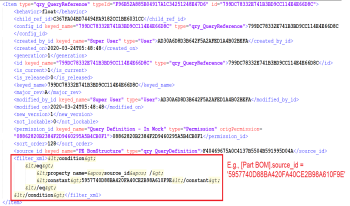
Figure 63.
-
Save the AML response.
Query Definition Execution
-
Open the saved AML response from step 7 of section Specifying Query Parameter Values for the Query Definition.
-
Find the root qry_QueryDefinition item and set the value of its action attribute to “qry_ExecuteQueryDefinition”.
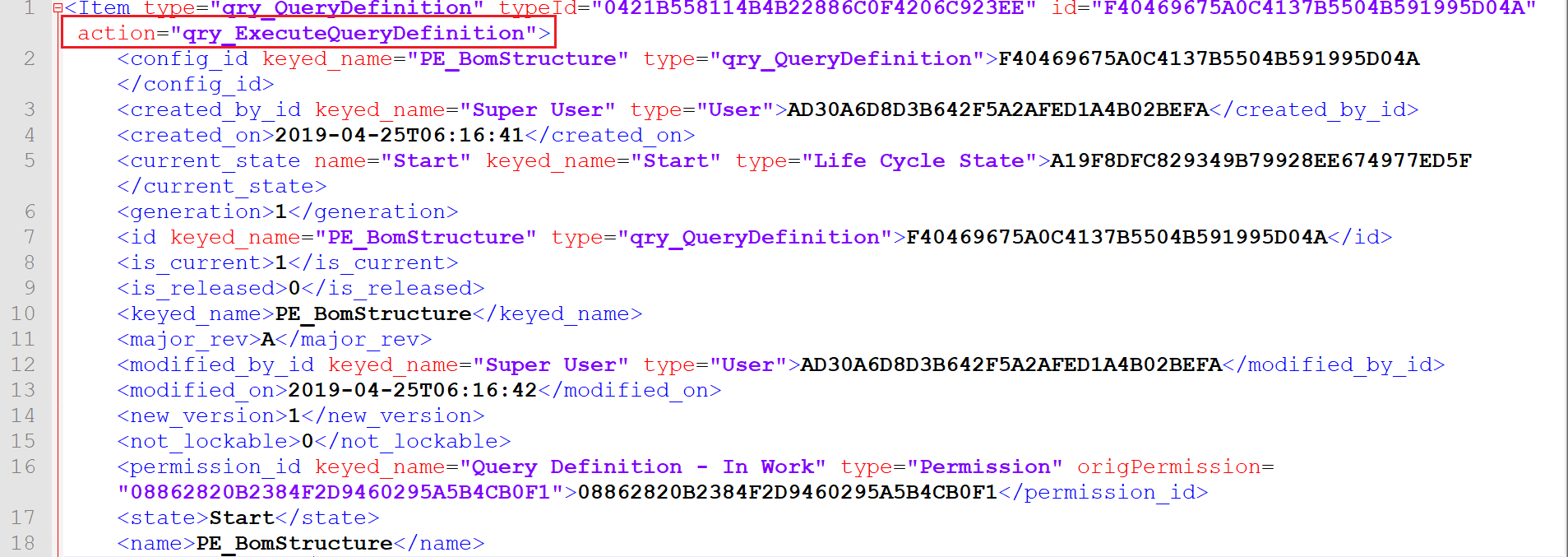
Figure 64.
-
The resulting AML can now be run to execute the Query Definition with Effectivity Resolution applied using the set parameters for the resolution.